Observatory Power Supply from Rapid

Whenever you buy a dew heater system you need something to power it, for some reason I went for a Battery Powerpack from Maplin, which is very good and has an invertor on it, compressor, 2 12v cigar sockets and a USB charger socket, battery clamps, a worklight etc etc.

But I hate having to remember to charge it every time the day before I want to observe. So to get around this I purchased a 12v 4.8w Solar Panel from Maplin to keep the battery topped up. This is a good idea, but the window in my observatory does not get much light and there is not much sun around in the winter.

So I decided to instead purchase a desktop power supply for the observatory, why I never bought one in the first place – god only knows! As I have power sockets in the observatory. It was probably because everyone seemed to have a Powertank so I thought I’d better get one as well.

After scanning the web and the astronomy retailer sites, I wanted an observatory power supply which did not have a fan in it (I like silence when observing), one that had enough amps to power my equipment and one that did not cost too much to have it posted to me, as these things are heavy.

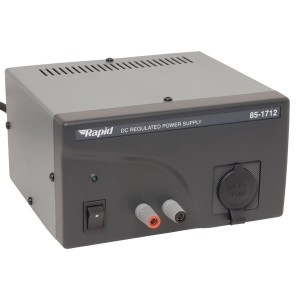
Rapid Power Supply

In the end I purchased the Rapid 4A 13.8V Fixed output DC regulated power supply. It was only £43.20 inc VAT with Free Delivery.

I ordered it at lunchtime direct from Rapid and it came via UKMail the next day, looking at it, it seems very well made and robust and does the job nicely.

The new version is the 85-1714 Rapid PSU

I can thoroughly recommend it as a silent observatory power supply for your telescope, dew heaters, CCD cameras etc.

Rapid 13.8v 4-6amp Observatory Power Supply Features:

  • Fixed 13.8V DC output
  • Screw connectors and 12V cigarette lighter accessory socket
  • High stability
  • Low ripple and noise
  • Compact size
  • Overload and short circuit protection
  • Galvanised steel case
  • Polycarbonate front panel
  • Cooled by natural convection
  • Control Your Observatory PC Remotely

    Since the weather has been very cold lately I thought about putting in a warm type of partition in the observatory to keep me warm whilst imaging, but I knew there was a way to remotely control your PC, as a lot of people do it, now I know how and it did not cost me a penny.

    There are services on the web who will charge you a fee so you can access your PC from anywhere – such as GoToMyPC etc. But there are other ways as well.

    The first thing I looked at was using the program “LogMeIn Free” which is a free program you install on both machines, there is also the free VNC servers, such as TightVNC or UltraVNC.

    But I found that Microsoft Windows has ‘Remote Desktop Connection’ and it’s really easy to set up.

    The only downside is that ‘Remote Desktop Connection’ on the host computer (the one you are trying to connect to) must be a XP Professional, Vista Business, Vista Ultimate, Windows 7 Professional or Windows 7 Ultimate edition.

    You can use any Windows version on the client machine (the remote one that you are using). I even connect to my observatory PC via my Samsung Netbook which runs Windows 7 Starter edition!

    If you have the correct version of Windows on both the remote PC and the local control PC or laptop. All you need to do is (this is what I did on XP Pro):

    1. Create a user account on the remote PC and give it a password
    2. On the remote PC right click on My Computer on the desktop and go to ‘Properties’ and then choose the ‘Remote’ tab. Then make sure the ‘Allow users to remotely connect to this PC’ is checked.
    3. Now go to your other PC and go to ‘Programs -> Accessories -> Remote Desktop Connection’, now enter your IP address in the computer field and enter the username you set up on your remote PC.
    4. If you now click ‘Connect’ and everything is setup properly the remote PC desktop will appear on your screen.

    I know there is nothing like being next to the telescope to sort things out, but in the future if it’s doing a long imaging run, I may leave the observatory and just check up on the imaging run via my laptop in the more comfortable and warmer house.

    Partial Solar Eclipse Image on Stargazing Live

    As my previous post mentioned I was amazed to see my partial solar eclipse included at the end of the BBC Look East TV News programme. Mainly because there were so many good images taken by those people who did not get clouded out.

    I also sent my image in to the BBC Stargazing Live team, but without any hope of it being shown, as they too had shown some really good images over the 3 episodes.

    But when Brian Cox showed just 3 partial solar eclipse images and one of them was mine I was totally amazed, and I even laughed and cheered out loud.

    So luckily I was recording the programme, so I have edited that piece out and placed the clip of my partial lunar eclipse images from BBC Stargazing Live on YouTube for you all to watch:

    Partial Solar Eclipse Image on Look East TV News

    The day of the partial solar eclipse I emailed my photos to various TV channels and web sites. One of those was the local Look East News on BBC1. Most people you send images to do not reply and tell you it is included the programme so you have to just watch and record the programmes in the hope of your image appearing.

    I thought it was going to be difficult this year to get my image on TV, as there were a lot of very good partial solar eclipse images taken with a lot of interesting backgrounds, whereas mine was just of the Sun itself.

    But I was amazed to see that at the end of Look East they showed a number of images and my image of the partial solar eclipse was included.

    So luckily I recorded it, edited it and put it the partial solar eclipse video on YouTube for you all to watch:

    Partial Solar Eclipse Images

    I was expecting this morning to be cloudy in Cambridgeshire today, but amazingly the skies started to clear at around 8.30am. I then just had to wait for the Sun to appear from behind the house that backs onto mine, as I was in my back bedroom with the window open taking the photos of the solar eclipse.

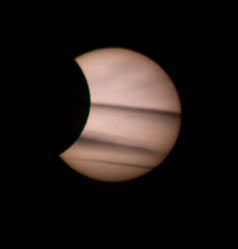
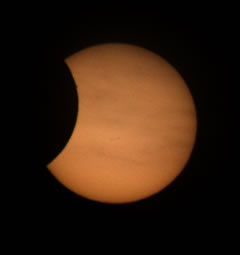
    Partial Solar Eclipse 4th Jan 2010
    I took these images with my Canon 550d with my 300mm lens on a tripod with a remote cable. I also used my homemade solar camera filter.

    The images are not that great, but I did like the one that had cloud bands along it which looked a bit like Jupiter.

    As the eclipse ended the cloud then came back and it was time to pack away.

    Partial Solar Eclipse 4th Jan 2010

    Total Lunar Eclipse December 2010

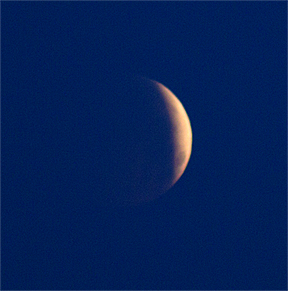
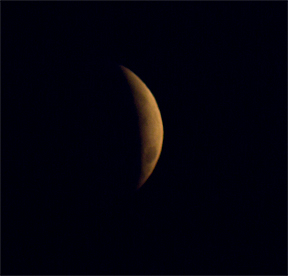
    Lunar Eclipse December 2010I was up nice and early today in the freezing conditions, even with a really bad cold to try and capture the total lunar eclipse . I put on several layers and headed out with my new Canon 550d camera on a tripod with a remote cable attached and my 300mm lens and a very large lens hood to try and keep the dew off of the lens.

    A few minutes later and I was at a clearing off of the main road, so I could get the full horizon. I started taking a few photos, and then went for the new feature of Full HD videos on the 550d, which when I came home I used Windows Live Movie Maker to make the movie up and put it on YouTube.

    Lunar EclipseI could see the moon clearly to begin with but once it was at totality I never saw it again as the low clouds covered the moon up. I began shooting at about 7.20am and finished around 7.45am GMT but even that short time was enough.

    I was not that happy with the images, as even with a 300mm lens the moon still really looks small, I think you need a 600mm lens or a 2.0x converter if just using an SLR, but ideally you really need an 80mm refractor joined to the SLR to get a good image. Unfortunately I don’t get a good view of the western horizon with my permanent set up, but then again with the moon being at about 5 degrees above the horizon the local houses would have also stopped me using my telescope.

    View the Lunar Eclipse YouTube video here.

    Wonders of the Solar System Book

    Wonders of the Solar System BookAlongside the Wonders of the Solar System DVD is the Wonders of the Solar System book.

    The book accompanies the excellent DVD and TV series from the BBC. The book is split into chapters which relate to the episodes of the series.

    The great thing about The Wonders of the Solar System book is the amount of amazing colour images in the book, truly fascinating.

    The book (which is quite large – 28cm x 22cm) begins with a lovely and inspiring introducton. Very much of the style of the series, exhalting the ideals of exploration and celebrating the thirst for knowledge of the ocean to explore beyond the shore of our ‘thin blue line’.

    The rest of the format is much like the series, 5 more chapters on the same heading as the television show;

    Chapter 2 – Empire of the Sun
    Chapter 3 – Order out of Chaos
    Chapter 4 – The Thin Blue Line
    Chapter 5 – Dead or Alive
    Chapter 6 – Aliens

    This book is great and very informative and also very easy to understand for all ages.

    The Wonders of the Solar System book is available from Amazon

    Wonders of the Solar System DVD

    Wonders of the Solar System DVDHere is a great gift for someone this Christmas, The Wonders of the Solar System DVD by Brian Cox.

    This astronomy/space series was originally shown on the BBC.

    It is presented by Professor Brian Cox, the series takes time to investigate the solar system around us, and the many natural beauties contained within it. Across the episodes, Cox covers the likes of planets themselves, the rings of Saturn, the question of whether we’re alone in the universe, and the sun itself.

    What lifts Wonders Of The Solar System above the many shows that have tackled the subject before, however, are two factors. Firstly, it’s Cox himself, an enthused and interesting host, who explains things well and really helps make accessible the material. Secondly, it’s the utterly stunning visuals. The BBC has mixed in CGI along with images sent directly from space to quite breathtaking effect.

    The series contains five episodes, each of which focuses on an aspect of the Solar System and features a ‘wonder’.

    There are 5 episodes on the DVD:

    1-Empire of the sun
    A great introduction to the series that illustrates how the formation and behavior of the Sun affects each planet in the Solar System .The graphics of the formation of the sun are truly spectacular.

    2-Order Out of Chaos
    The second episode explores the Rings of Saturn and explains their differences and the effect of gravity on their formation. The pictures from Cassini add a wonderful touch to the stunning graphics.

    3-The Thin Blue Line
    The third episode looks at the atmosphere of Earth and that of Titan moon in Saturn. A very relevant program that touches on how fragile is our existence and how much we own to our atmosphere.

    4-Dead or Alive
    The fourth episode looks at the size of planets, volcanoes, and the moon Io ,and how size and position in the solar system determines if live can develop in a planet. The images form the Erta Ale volcano in Ethiopia are a great example of the conditions in other places of the solar system.

    5-Aliens
    The program covers life surviving in extreme environments in our planet, and how the search for life on other planets follows the search for water. This last episode is the most interesting of them all as it asks a couple of very interesting questions ,Are we alone in the Universe ? What if we are ? What if we aren’t ?

    This series is available on both standard DVD and on high definition Blu Ray disks.

    The DVD is available now from Amazon UK

    Lego Space Shuttle

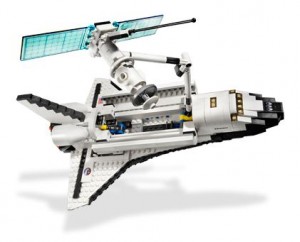
    Lego Space ShuttleJust found this on my travels of the web, amazing – a brilliant Lego Space Shuttle on it’s launch pad.

    This is what all astronomers really want for Christmas, forget all that boring astronomy equipment, more gloves, scarves and hats, we want to sit in the warm of an evening and build something like this Lego Space Shuttle model.

    We don’t want a proper model to make either, we don’t want the mess of glue getting everywhere, then you have to paint the grey plastic panels of traditional models. Plus you might vcut yourself with the stanley knife whilst cutting out plastic pieces, and when you are finished the model never looks anything like it does on the box.

    With the Lego Space Shuttle model it’s easy and there is no mess! What a great way to commemorate the end of life of the space shuttle by having this Lego model.

    Here is some information on the Lego Space Shuttle:

    Lego Shuttle AdventureStanding 17.5″ (44cm) tall and 10″ (25.5cm) from wing tip to wing tip, this detailed and realistic space shuttle is ready to count down and blast off on its next exciting mission into space! You can take off from the launch pad, separate the detachable fuel tank and booster rockets, and deploy the satellite with unfolding antenna and solar cell panels. Shuttle model features realistic engines, retractable landing gear, an opening cockpit with seats for 2 astronauts, opening cargo compartment with a crane that can hold the satellite and a ground maintenance vehicle. Includes 3 minifigures: 1 male and 1 female astronaut, as well as 1 service crew member.

    • Includes 3 minifigures: 1 male and 1 female astronaut as well as 1 service crew member
      Shuttle stands 17.5″ (44cm) tall and measures 10″ (25.5cm) from wing tip to wing tip
    • Take off from the launch pad
    • Separate the detachable fuel tank and booster rockets
    • Deploy the satellite with unfolding antenna and solar cell panels
    • Features realistic engines, retractable landing gear, opening cockpit with seats for 2 astronauts and even a ground maintenance vehicle
    • Open the cargo compartment to reveal the crane that can hold the satellite

    The Lego Space Shuttle is available direct from the UK Lego Store online for about £79

    Bahtinov Masks Review

    I have heard so much about Bahtinov masks lately on the web and in magazines, so I thought I should check them out for myself.
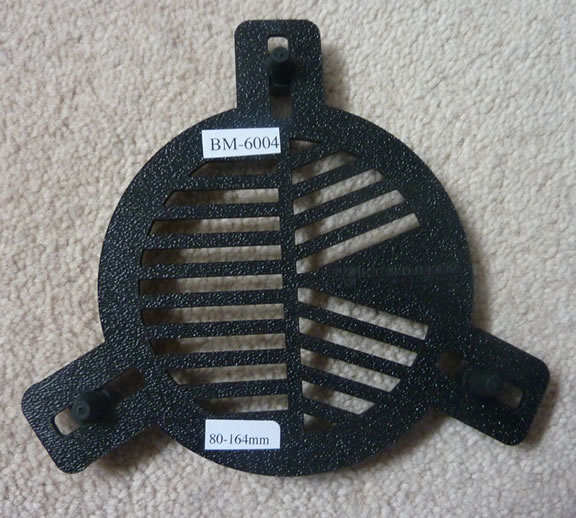
    Kendrick 80mm Bahtinov Mask Bahtinov masks designed by Pavel Bahtinov, basically aid you when focusing your telescope for either visual or imaging use. They appear to be an improvement on the Hartmann mask (which I also own but I only use it to hold a smaller screw-in solar filter). The Hartmann mask (if you have three holes in it) will produce three blurry images of your target, and then once you bring the object into focus, the images merge into one. But the Bahtinov mask is a far superior focussing aid than the Hartmann mask as it uses diffraction spikes to help you with your focussing.

    Luckily Bahtinov masks come in a variety of sizes from 80mm to 12”+ sizes, as I have two scopes, one is an 80mm and the other my 10” LX200, prices vary on size.

    I got my hands on an 80mm size Bahtinov for my Skywatcher ED80 Pro telescope from Green Witch.

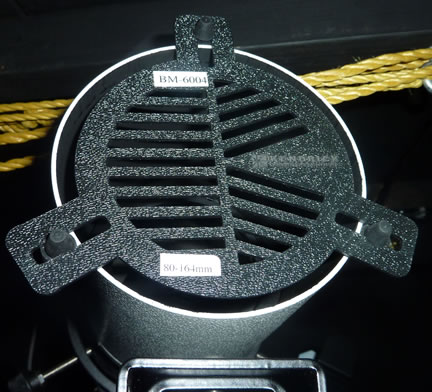
    The Bahtinov mask itself was made by the Canadian company Kendrick, their version is quite flexible and comes with three rubber type bungs which hold the mask in place, as I have seen a lot of Bahtinov masks sold with just the mask and no fixings.

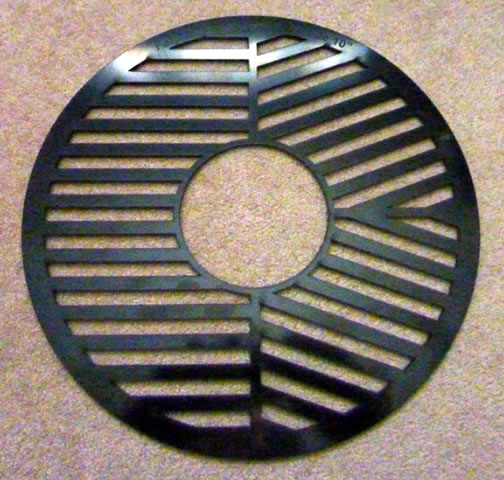
    My Meade 10” LX200 Bahtinov Mask came from the astronomy retailer SCS Astro.
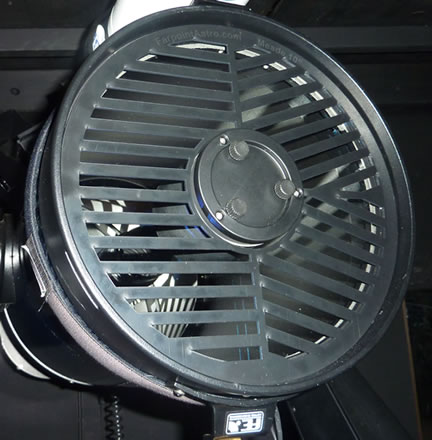
    Farpointastro Meade-Bahtinov MaskThis mask was made by a company called FarPointAstro.

    The design of this mask is very different from the smaller 80mm Bahtinov Mask as this larger mask does not have rubber bungs, but slips onto the secondary mirror hub on the front of the telescope.

    So it is really easy to slip it on and off of the telescope, a great design.
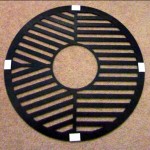
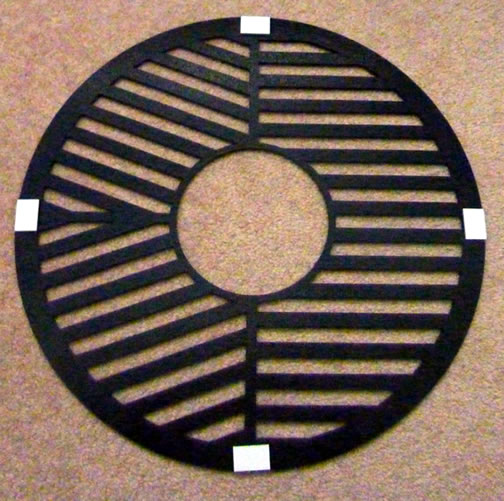
    SCSAstro Bahtinov Mask Amended I actually decided to amend the design of it slightly by adding some white adhesive pads to each corner of the SCSAstro Bahtinov Mask. I did this to raise the height of the mask away from the main glass on the front of the telescope so I had less chance of putting fingerprints on the front of my telescope glass.

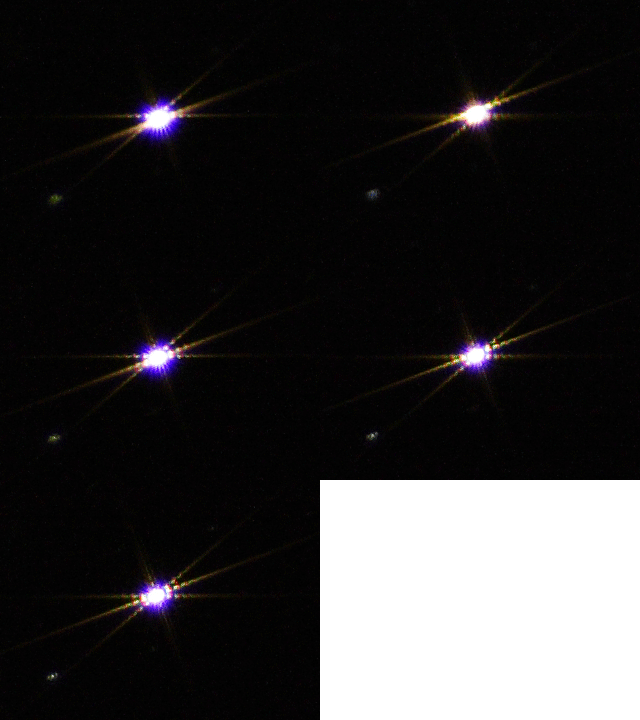
    You begin by directing your telescope towards a star and then place the Bahtinov mask over the end of your telescope. The Bahtinov mask then produces three sets of spikes. The great thing is that the position of the spikes will tell you all you need to know about how well your telescope is focused.
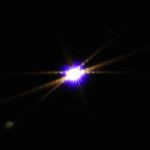
    Bahtinov FocussingIf you change the focus knob you on your telescope you will see that two of the spikes stay in the same place, acting like a cross-hairs, whilst the third spike moves up and down across the image. Once the moving spike is centered you are in focus, simple.

    Then lock your focus in, and remove your mask and then start observing or imaging. If you need to re-focus just follow the same procedure again.
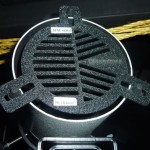
    Kendrick Bahtinov Mask on 80mm One of the benefits of these masks is that they are so light and are easy to place on the end of your telescope, so there is little chance of you moving your scope when attaching a Bahtinov mask.

    Most good astronomy retailers now sell Bahtinov masks in various sizes for all of the most popular telescope sizes. My Bahtinov masks came from Green Witch and SCS Astro and both were very reasonably priced, you can find the range of Bahnitov Masks at Green Witch here and Bahtinov Masks at SCS Astro here.
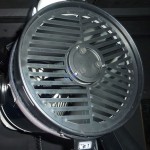
    scsastro on meade lx200This is a photo of the SCSAstro Bahtinov mask on my Meade 10″ LX200. It’s easy to fit and easy to remove once your telescope is focused.

    If you really want to make your own Bahtinov mask (which can be very fiddly to cut out and a lot of effort is required) then you can get an image file off of the internet which can be sized in a photo editor program to fit your scope and then the template can be printed out. The choice of raw material for the mask would be up to you.