Observing the Universe Book Review

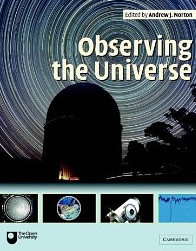
observing the universe bookObserving the Universe, A Guide to Observational Astronomy and Planetary Science is a full colour astronomy book which has been compiled by a team of experts from The Open University. The book has been designed for students who are undertaking observational work in astronomy and planetary science, but is suitable for amateur astronomers.

The book begins with looking at the basics of our planet and its rotation together with the orbit of our planets in the solar system. There is a small section on how to use astronomical software programs as well as planispheres. The next section describes the different types of telescopes and how they work as well as the different types of telescope mountings.

There is a section on spectrographs and astronomical detectors, which are really CCD cameras. There are some interesting sections on reducing CCD data including details on bad pixels, bias and dark subtraction and even flat fielding.

The next sections of the book are about photometry and spectroscopy, there are scary equations in this section. Photometry is the technique of measuring the brightness of astronomical objects.

The second half of the book is given over to preparing for practical work in astronomy. This section really is for students or amateurs who want to start doing astronomical maths so to speak. This section instructs you how to keep observation records, and how to deal with experimental uncertainties, such as calculating standard deviations. There is also information on how to use calculators and computers and how to make use of graphs for astronomical research.

The back of the book contains answers to the questions asked at the end of every section and chapter of the book, there is also an extensive glossary.

Overall, Observing the Universe is a very good book, and it’s in colour. This makes it a great beginners astronomy book or for a student or someone who wants to get further into astronomical science and start to gather and work with astronomical scientific data.
Observing the Universe is available at Waterstones

Solar Sunspots and Granulation

I managed to do a bit of imaging today as the Sun was out all day. I went and purchased a sheet of A4 Baader Solar Filter paper from Green Witch the other day, they were the cheapest place I could find, plus I got my SPA discount as well. It also gave me my first chance to visit them in Dry Drayton.

Anyway, I produced a couple of solar filters for my LX200 and my ED80 Pro from the paper sheet so was dying to try them out (which was a nightmare trying to cut, as I couldn’t stop my fingers leaving fingerprints on the paper, plus you need to remember to remove a really thin piece of plastic that is attached to the filter paper).

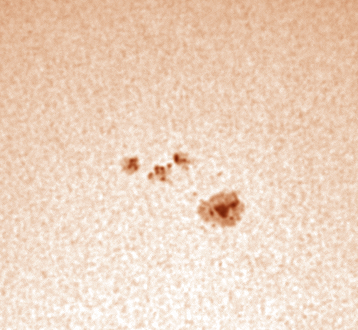
Both worked really well, I have also just purchased a 2nd hand DMK21 camera, which is so much better than my SPC900 webcam, which I about to sell. So imaging with this was fun as the more practice I get on the DMK21 the better. I also used my Baader Solar Continuum filter which I have had for ages but never really got to use as I did not think that the SPC900 gave enough brightness of the object to use a dark green filter, but the DMK21 handles it with ease as you have a lot more control over your gain, exposure and gamma settings.

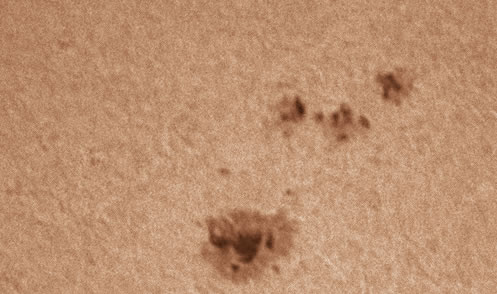
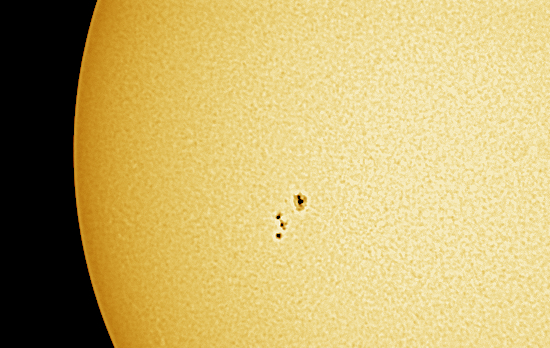
The great thing was that I was able to record granulation on my images, something I could never do with the SPC900 webcam, maybe it’s the Baader Solar Filter paper that made it possible, but I think it was really the DMK21 camera.

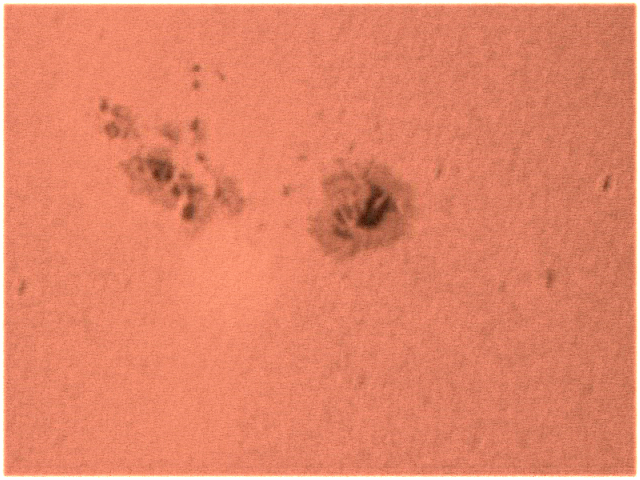
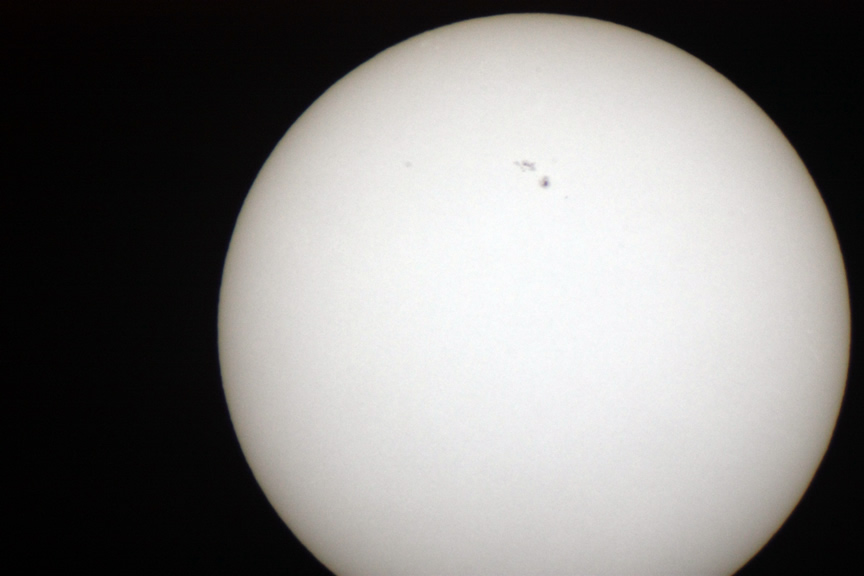
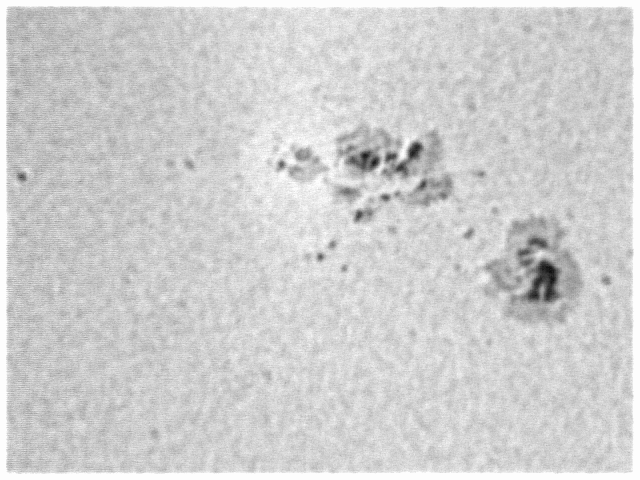
I processed them all in Registax 5 and then added some false colour in Fireworks. The distant image was taken with a Skywatcher ED80 Pro and the close-up shots with my 10″ LX200.

Sunspots via Skywatcher ED80 Pro

Sunspots via DMK21 and 10" LX200

Sunspots on 3rd June 2010 using 10" LX200

Saturn Talk by Carolin Crawford

I went to my local Ely Astro Club on Friday night, at the Ely Museum. I had heard Carolin talk before a couple of times at the Cambridge Institute of Astronomy and so I knew her talks are really good.

Tonight the talk was about everything to do with the planet Saturn. Carolin started by talking about the planet itself, and I had forgotten it was a gas giant, and that most of what we see is atmosphere, with the actual planet itself being a lot smaller.

The rings were the next thing to be discussed, and it was surprising that the rings are only about 100m in height. Carolin then thoroughly covered details of all of Saturn’s moons.

As usual the slides and images from Cassini were brilliant, altogether a great talk.

If you want to attend the Ely Astro Club in Cambridgeshire, the meeting is on every 2nd Friday of the month at the back of the Ely Museum – The Old Gaol, Market Street, Ely, CB7 4LS. For more details have a look at the clubs website here: https://sites.google.com/site/elyastroclub/

UFO Lands on my Lawn

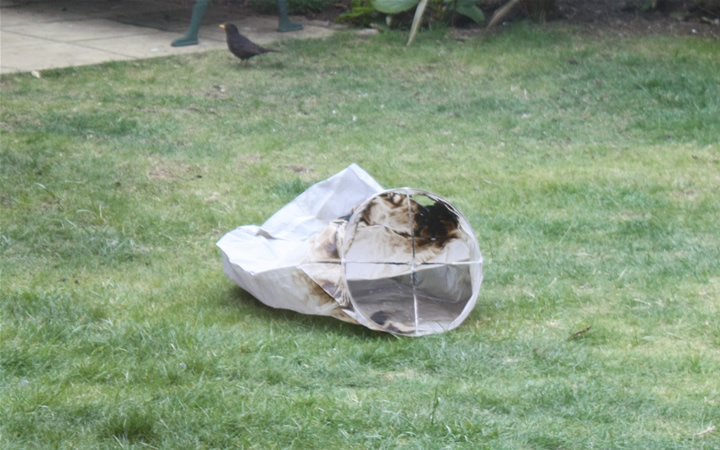
I awoke on Sunday morning to find an unusual object on my lawn. A lot of people mistake these items in the sky for UFO. Of course they are chinese flying lanterns.

Chinese Flying Lantern

It’s the first one I have ever seen close-up, let alone one at it’s end of life state. But I was impressed by how bio-degradeable they are.

They are made up of a paper bag with not a metal circle at the base, but it’s actually a wooden made circle and the crosshair struts which hold the lighted area are made of string. I think the base of the area that you light is also made of cork.

After an hour or so it started to rain, and then the whole thing just broke down into a soggy mess.

If you are interested in trying one out, you can buy chinese lanterns from all over the web including Firebox,  Play.com and Amazon

The Handbook of CCD Astronomy Book Review

The Handbook of CCD AstronomyThe Handbook of CCD Astronomy sounds a perfect title for an amateur to learn everything about how to use my Meade CCD camera with my telescope. Thing is, this is no book for the amateur astronomer, but really for the research astronomers, academics and professionals.
The book begins by telling you everything about CCDs including the manufacturing process, the various types of CCDs and how they work. There are also some interesting sections on CCD pixel size, pixel binning as well as flat fielding. The book covers some very in-depth CCD topics such as how to calculate read noise and gain, and signal to noise ratio.

The book contains a great deal of graphs, diagrams and mathematical equations, well over my head as an amateur astronomer, but I did find some parts of the book good for explaining certain things such as how CCDs work and about flat fields.

The chapters in the book are titled CCD manufacturing and operation, Characterisation of Charge-Coupled Devices, CCD imaging, Photometry and astrometry, Spectroscopy with CCDs and CCDs used in space and at short wavelengths.

The Handbook of CCD Astronomy ends with a CCD reading list, CCD manufacturers list and some basics of image displays and colour images.

Handbook of CCD Astronomy is available at Waterstones

Cheap Astro Stuff at AstroBoot

Just found the AstroBoot page on ScopesNSkies site last night, after seeing someone mention a cheap webcam in a forum.

Who knows what cheap astro goodies have already been snapped up. I did manage to spend about £25 on bits and bobs, then went back this morning and spent another £10.

The funny thing is I only live a few miles away from ScopesNSkies, but am too lazy to venture out, plus the petrol costs would be about the same as the £1.50 P&P, even though I made sure I bought at least 3 items to get free p&p.

Venture over to AstroBoot now!

Moon and Venus

What great weather we have been having lately, could it be anything to do with there being no planes flying at the moment due to the icelandic volcano erruptions? After spending the day listening to talks, looking at telescopes and viewing trade stands at Kelling Heath I decided to come home and do some imaging.

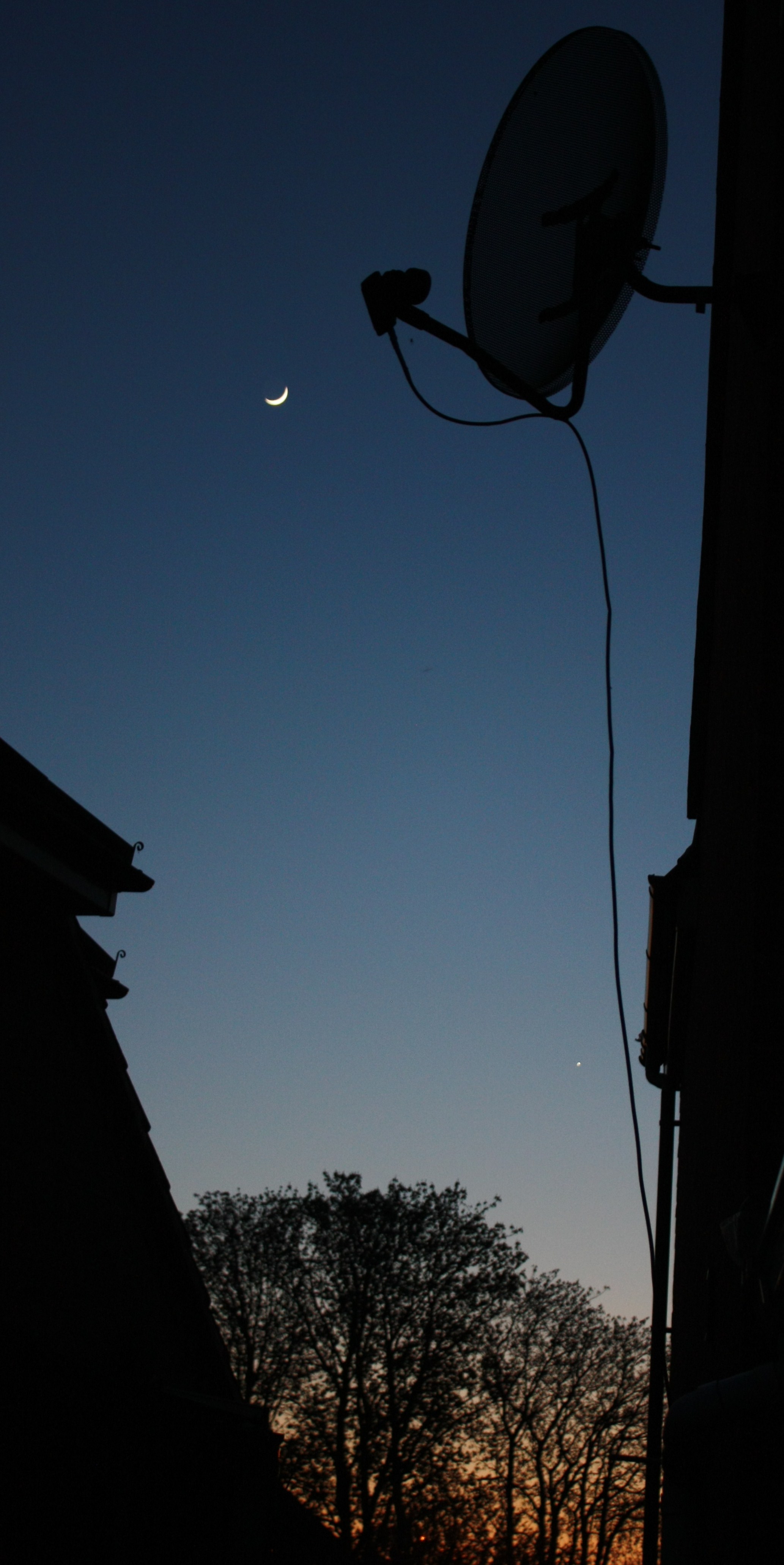
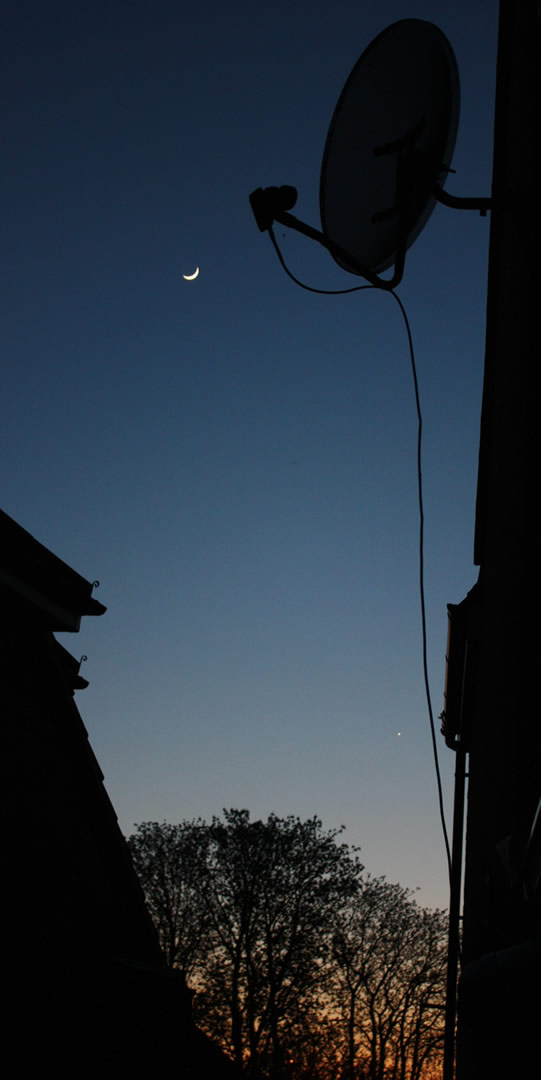
The moon has been looking amazing at the moment in the blue twilight sky, unfortunately for me at the moment my west viewpoint is obstructed by my own house, so I snuck around the side of the house and managed to get this image below of the moon and venus on the bottom right.

f/4.5 1/10sec -2 exposure on a Canon 450D

The Moon and Venus

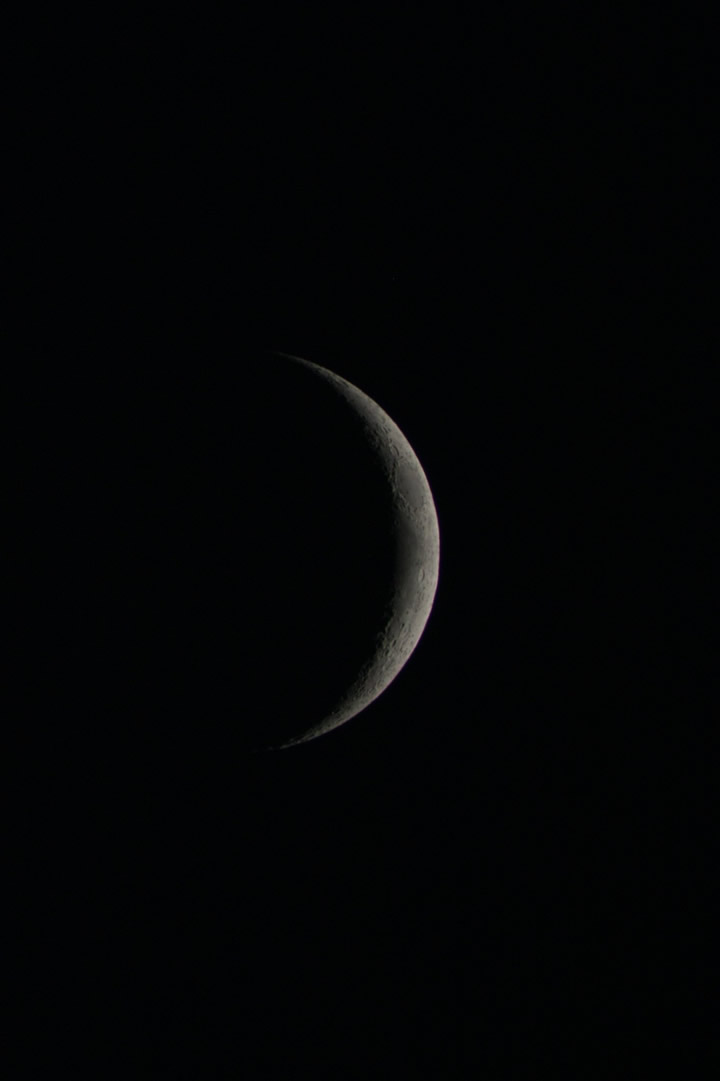
The same moon taken using my Canon 450D straight into an 80mm StarSky Refractor – 1/125 second exposure with a ISO400 setting.

Moon

Click on both images to enlarge them.

Solar Activity 13th March 2010

Writing this blog post from actually inside the observatory today, now I have sorted out my internet access, by using a powerline adaptor which passes the network data through your home electrical wires and is a lot more stable than wireless. especially if you are any distance away from the house.

Did not expect to do any imaging today, just opened the roof to check on the Sun and see if there was any activity, and there was, even better than when I looked a couple of weeks ago.

Here are my images, the enlarged images of the sunspots were taken on my 10″ LX200 with a glass solar filter, using an SPC900 webcam and then stacking in registax, one in colour and one in black and white.

Sunspots in Black and White via SPC900 webcamSunspots via LX200 and SPC900 webcam

The large shot of the Sun below was taken via my Canon 450D SLR using a Televue 2x Barlow on my 80mm refractor with a Mylar paper solar filter.

The sun spots via DSLR and mylar paper on 80mm refractor

Practical Astronomy Book Review

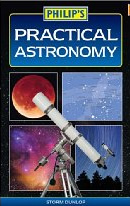
Practical Astronomy BookPractical Astronomy is a straight forward guide to the hobby of astronomy. If you are a beginner to astronomy then this is a perfect book to pick up and read.
The book begins by introducing you to astronomy and teaching you the night’s sky and how to guide yourself about.  There is also a chapter on choosing the right astronomy equipment for you, including information on various telescope types. Practical astronomy ends the first section entitled “Introducing Astronomy” by advising you on how to record your observations via cameras and web cams. This section of the book also contains a section containing star charts.

The second part of Practical Astronomy works through “Exploring the Sky” and the book gives a chapter to viewing the moon, sun, observing planets, outer planets, the stars and deep sky objects.

Each chapter takes you through each type of object with full colour images, tables and diagrams.  This type of book is perfect for the beginner as it gives the reader an insight into the hobby of astronomy as most areas of amateur astronomy are covered. There are also star charts and moon maps included as well as a small glossary and resources list.

Practical Astronomy is available at Waterstones

Netgear DGN3500 Review

I have been waiting for a Netgear Gigabit modem/router for ages, and at last one has been released. It’s called the DGN3500. At the time of writing it seems to be retailing for around £110 delivered, but I did not want to pay this much, so I decided to buy it from Pixmania for £81 + P&P. I had only ever purchased one thing from Pixmania before and that was my astronomy webcam my Philips SPC900.

I ordered the Netgear DGN3500 on a Thursday morning at 8am and received the item via Fedex on Monday morning, not too bad considering it came from South of France. It’s also fun tracking your parcel on the Fedex website as I saw it come up to Paris and then arrive in Stansted and then come to Cambridge.

I previously had a Netgear DG834G for around 5 years, and it was the first wireless router I ever bought. It has been rock solid for all those years and is still going strong, and it never needed rebooting or anything. All I did was keep feeding it the latest firmware. So I opted for another Netgear.

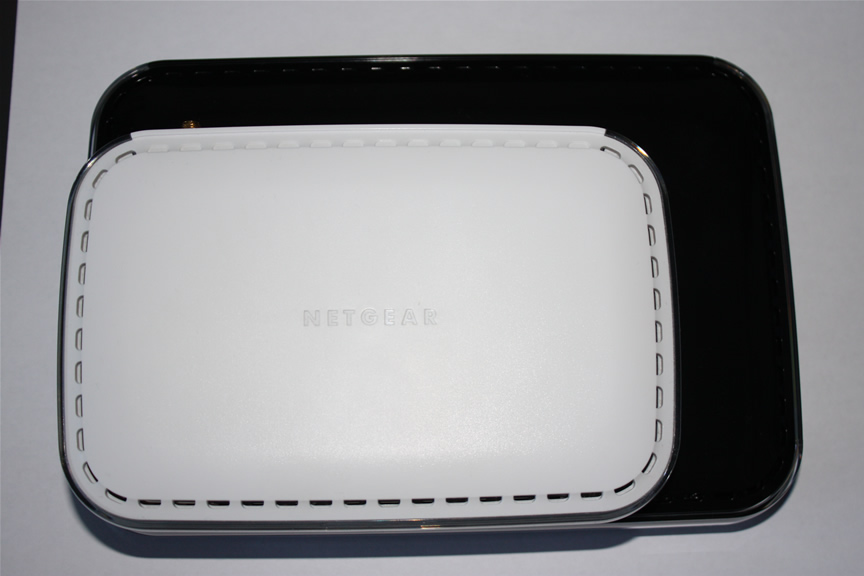
The first thing that strikes you is the increased size of the DGN3500 compared to my DG834. Something you’ll see below in the image:

Netgear dgn3500 size versus dg834

I had hoped that I would export all my settings from my old router and then just import them into the new router, but unfortunately this did not work, so I had to manually enter my settings. This is not really a problem as the admin panel looks the same as I was used to.

As most of my PC’s now have gigabit ethernet I was looking forward to increased speed over the network. I currently had a mixture of Cat5 and Cat5E network cables. I was happy to see that the Cat5E cables all provided gigabit connectivity as on the router it shows gigabit in green and 10/100 as orange.

Even though the Cat5E cables are fine for gigabit I still ordered a couple of 3m Cat6 cables to see if I could get more speed, but I can’t really tell that I have gotten any extra speed.

One new thing with the DGN3500 is that it has a USB socket on the back allowing you to connect a USB hard drive or stick pen for network attached storage. I have plugged in a 16GB USB pen for temporary storage purposes. You can set this up via the netgear control panel and provide password access, or add folders to it, you can even specify if only certain USB drives are allowed to be connected to the DGN3500 modem router.

Something new for me is that the DGN3500 has an on/off switch on the back as well as a reset switch.

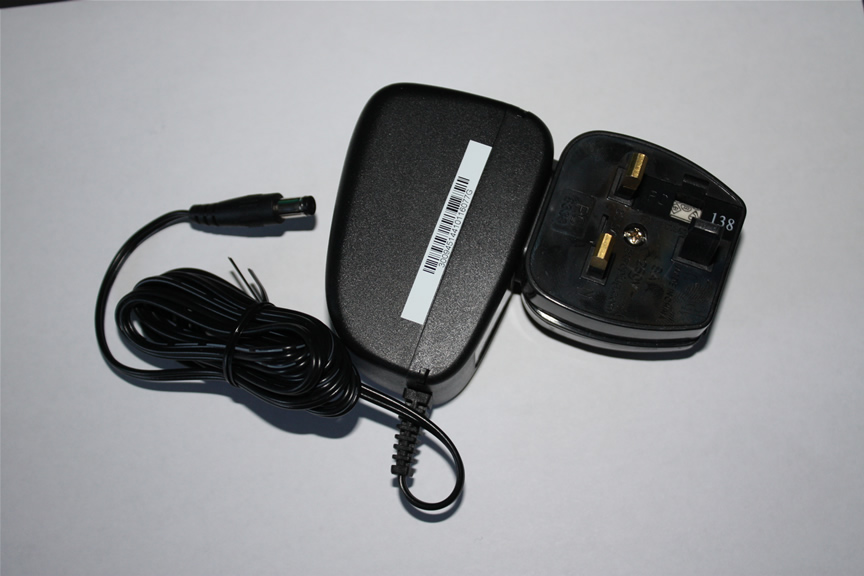
As Pixmania is a French company some people are worried about plugs being 2 pin plugs etc. But don’t worry Pixmania provide a 3 pin plug adaptor which just clips onto the 2pin adaptor – brilliant!

Pixmania Plug Adaptor

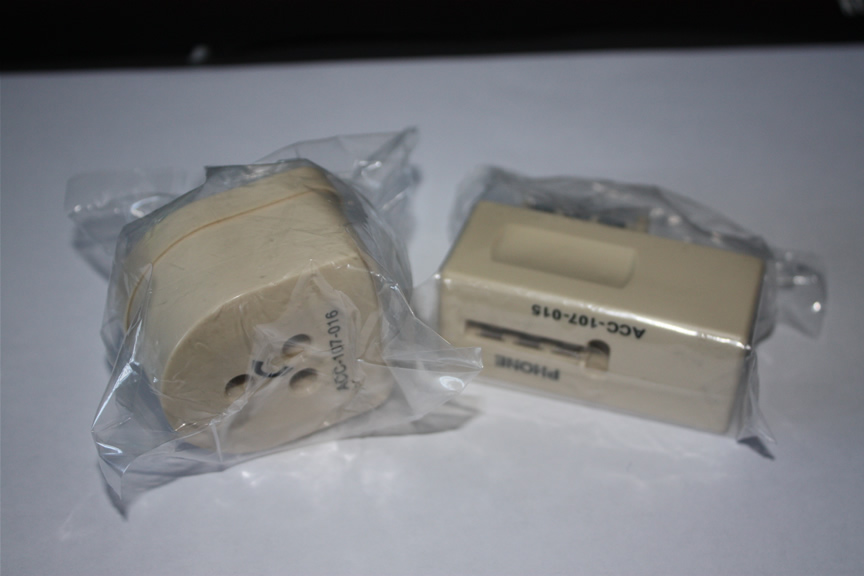
The only other difference from buying from Pixmania is that they the European version does not include the standard UK white phone filters, but instead you get some strange French phone adaptors pictured below. But if you already have phone filters you probably won’t need any more of them, and if you do I am sure they are cheap to buy.

French Modem Adaptors

Overall the Netgear DGN3500 seems a very good wireless modem router. It’s early days yet, but I have had no problems yet. Speed is good, although I would have thought that signal strength could be better, but that could be down to my wanting great signal strength when I am in my observatory in the garden, it could also be that my wireless router usb adaptor needs some new drivers.

I could not fault the price at Pixmania as I think I paid about £88 including delivery for the DGN3500-PES version from Pixmania, where as everyone else wants about £110 delivered for the DGN3500-UKS version.

Get your Netgear DGN3500 from Pixmania here.