Lunar Eclipse Animated GIF

Lunar Eclipse GIF Animation

** Please click on the image above to see the animation **

This is a quick lunar eclipse animated GIF I put together in Photoshop of the Total Lunar Eclipse in September 2015. This phase is when the moon is coming out of the eclipse and going back to its normal full moon.

The original images were taken by a Canon 550D SLR attached to an Altair Astro 80mm triplet telescope on top of a Skywatcher EQ8 mount set to lunar tracking rate.

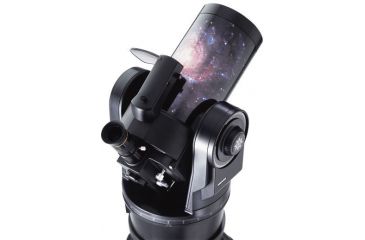
Meade ETX105 Telescope Review

Meade ETX105 TelescopeMy son was lucky enough to have won the Cambridge Young Astronomers prize of a 2nd hand Meade 105ETX at the 25 anniversary event in 2015. So I thought I would do a quick Meade ETX105 telescope review.

I had previously taken the main telescope part out one evening and placed it on a table top and manually viewed The Moon, Saturn and Venus. But as the evening was looking to be clear and the moon was already out in the afternoon I decided to get the full tripod and telescope out.

I set up the Meade deluxe tripod and screwed on from below the main ETX telescope part. I then plugged in the handset and used a portable power tank to power the telescope. I leveled the telescope and pointed it north and made sure the main tripod leg was also facing roughly north. I then turned on the telescope and ran through the alignment setting. I chose ‘Easy’ align, which selected 2 stars for me, I just aligned both stars in the eyepiece and pressed ‘Enter’. The alignment was successful.

I then chose a tour, ‘Tonights Best’. which runs through a list of available sights. Although I must say all were not that visible in this 100mm scope. Some sights did stand out though, these were the Moon (of course), Saturn, M13 and the Ring Nebula. Other sights were hard to see like galaxies and the dumbbell nebula, although seeing was not that perfect and there was a lot of cloud around.

I was quite impressed that after just 2 alignment stars that most of the objects I chose did appear in or near the centre of the eyepiece. The telescope does suffer from quite a bit of backlash in one direction when using the handset. I was quite happy about the motor noise, the motors are reasonably quiet, and I did expect them to be noisier.

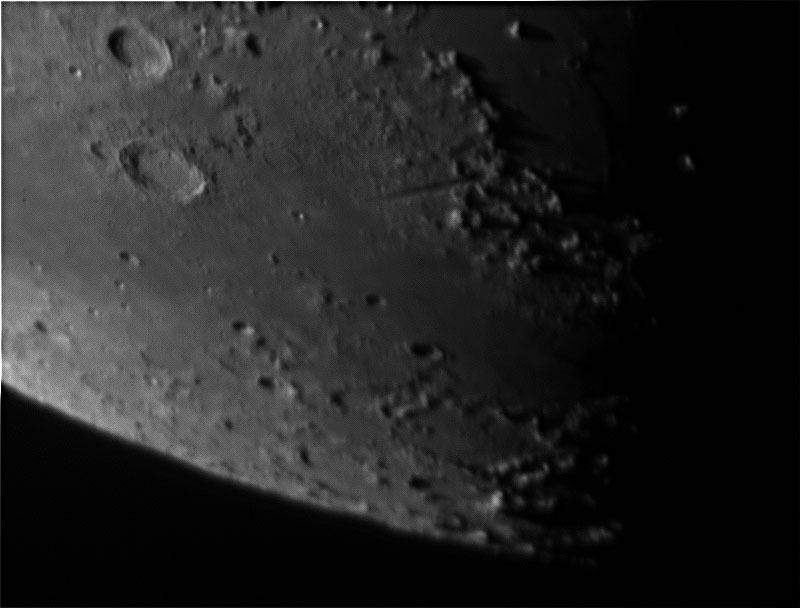
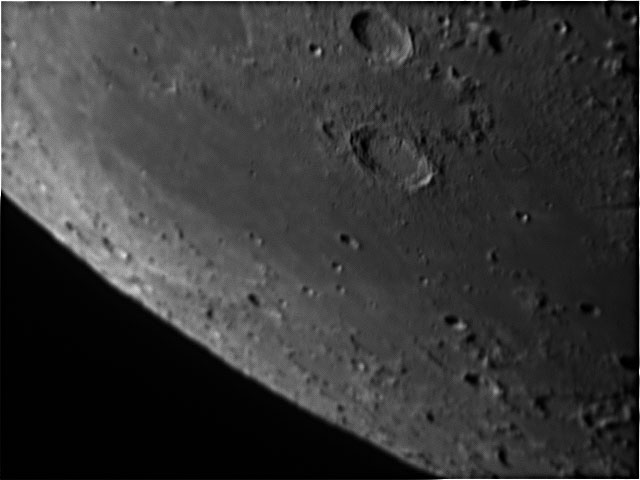
I tried some imaging of the moon, by placing the ZWO Optical ASI120MM-S mono camera into the eyepiece holder. I took about 1000 frames at about 40fps using SharpCap v2. I must say the seeing was terrible and moon was among clouds, but the images seemed quite promising. Obviously not the best moon images I have ever taken, but fun to have a go at.

Moon ETX105 Photo

Moon ETX105

It’s nice to have available a portable mount and telescope that tracks the night sky. The downside is that the EXT105 is no longer in production, so getting accessories for it can be hard. It would be nice to get an adapter so the ETX105 could take a DSLR camera either at the back or even better on the top.

Windows 10 Install on Observatory PC

After upgrading my laptops and the home PC I didn’t think I would upgrade the observatory PC for a while yet, as I was expecting problems with drivers etc. But last night I decided to just go ahead and upgrade my observatory PC which was running Windows 7 Pro to Windows 10 Pro.

My observatory PC has gone through a couple of internal changes since it was installed. It’s now an Intel i3 CPU with 4GB RAM and an SSD drive. I also seem to have gone through all the Windows OS’s in the last few years as well.

The observatory PC began with Windows XP Pro, then I upgraded to Vista Business, then Windows 7 Pro and now Windows 10 Pro. Why Pro you ask? Well so I can connect to it through Remote Desktop Connection.

Anyway, I chose the upgrade option, it downloaded the software, and then installed it OK. After making sure I turned off sending lots of free private data to Microsoft I was ready to test it all.

My dual monitor set up still worked OK, Windows 10 still saw my ZWO 120MM-S camera, the Ethernet still worked. Great! The only problem was with the Prolific USB drivers (I knew these were going to be trouble!).

I have 4 of the Serial to USB cables on my observatory PC. The 1st connects the EQ8 mount through the Hitec Astro EQDIR cable and the other 3 are for my 3 Lakeside Focusers, which connect to 3 telescopes.

Unfortunately I did not document exactly what I did to get them all working, I just did get them working. I began with 3 of them in Device Manager showing exclamation marks against them. I know that I did right click on all the drivers and uninstall all of them including the device drivers and tried the Hitec Astro Windows 8/10 EQDIR driver (EQDIR installation instructions) and the 64bit USB to Serial Prolific drivers that I mentioned in my other post.

After re-booting a few times and letting Windows find the drivers and do whatever it wanted after installing the above drivers it all seemed to work out fine. I then just needed to re-map the COM ports to the correct numbers that I like, otherwise I find Windows always seems to change the COM port numbers around. This can be done by right clicking on the COM port in the Device Manager and then choosing ‘Advanced’ where you can change the COM port number being used. It is always recommended to then re-boot after changing the COM port numbers.

So far Windows 10 seems fine, everything works (except for AmCap, which I never really use anyway). EQMOD connected OK so did all the Lakeside focusers. I did not have my Starlight Xpress USB filter wheel connected, nor my Atik 460EX connected – but I am sure they will be fine. The main headache always seems to be these Prolific USB to Serial drivers.

Windows and Prolific Serial to USB Adapter

Are you having problems with Windows 8 or Windows 10 and your older (maybe not official) Prolific Serial to USB Adapter on your observatory PC?

Well you are not alone, and now after reading this article:

https://www.ifamilysoftware.com/news37.html

I am a bit worried about upgrading the observatory PC from Windows 7 to the free upgrade of Windows 10.

But at least in the article they do say that at least one driver version does still work on Windows 10 and that is v3.3.2.102

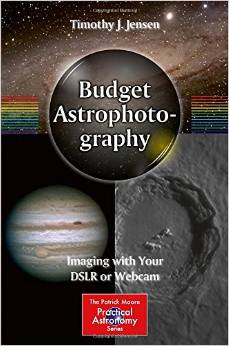
Budget Astrophotography Book Review

Budget Astrophotography
Budget Astrophotography is an introduction into Imaging with a Webcam or DSLR for amateur astronomers. The books start with the anatomy of the DSLR camera sensor explaining various aspects of Pixel size, chip size, and Chip sensitivity and various other features in easy to understand terms.

The next chapter deals with the Telescope types Refractors, Reflectors and Catadioptric then goes in the detail of the various Telescope Mount types and explains why and how to perform Polar Alignment.

The next two chapters deal with Image capture and image processing. There is a lot of good advice on planning imaging sessions and goes on to explain in easy to understand terms the reasons for taking bias, darks and flat frames to improve the final image quality.

Imaging processing section covers a large number of subjects from preparing Master frames to Layer Masks the author uses flow charts and computer screen shots to explain the topics. There are paragraphs on methods of producing Mosaics and aligning moving objects like comets and Asteroids.

Webcam imaging of planetary object has its own chapter explaining camera types and processing the AVI images with various software then goes on to explain colour and mono camera imaging. The use of individual Red Green Blue (RGB) filters to achieve a colour planetary image with a mono camera and the processing steps required. The chapter then goes on to explain Tips and Tricks of each planet including the Sun and Moon.

For the more advanced Amateur Astronomer chapter 6 looks at Spectroscopy, Photometry and Astrometry in detail for those looking for an interesting project.

The book finishes with Advanced Processing Techniques such as Star removal in Photoshop and Images Plus, goes on to explain with images and computer screen shots, noise filters, enhancing Nebula contrast with Narrow Band Data and Light Gradient removal.

This is an excellent book for the beginner and the more advanced Amateur astronomer planning to start imaging with a DSLR or a webcam. It will be a useful addition to the Amateur book collection and a valuable reference book.

This book covers a wide range of topics, all of which are nicely covered in some detail. So whether you are interested in narrowband imaging, processing deep sky images or imaging the planets there is something for you.

It was good to see a good selection of colour images throughout the book, instead of the normal bland black and white images you sometimes get in astronomy books. At the end of the book the author adds a gallery of images taken with a wide range of equipment from camera lenses to 16” Dobsonian telescopes.

I can recommend this book from The Patrick Moore Practical Astronomy series Published by Springer.

Reviewed By Mick Jenkins


Budget Astrophotography is available at Amazon

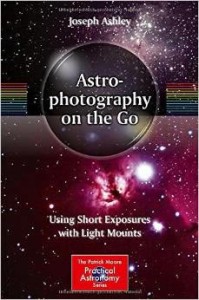
Astrophotography on the Go Book Review

Astrophotography on the GoAstrophotography on the Go by Joseph Ashley

‘Astrophotography on the Go’ from Springer is part of the Patrick Moore Practical Astronomy series and the subtitle for it is ‘Using Short Exposures with Light Mounts’.

Most people who travel to do their astrophotography won’t take their usual hi-end home imaging equipment with them, but will usually have a separate set of telescope equipment that goes with them. This usually means taking a lighter mount and perhaps smaller telescopes together with a laptop and other astronomy equipment that is designed for travelling.

In ‘Astrophotography on the Go’ the author defines a lightweight and portable mount as one that weighs no more than 7.5kg, is easily separated, a standard dovetail saddle and collapsible and extendable legs.

The book begins with astrophotography basics such as the various types of telescope and details on cameras, accessories, mounts and how to put it all together.

The book then goes into a little more depth with two of the chapters dedicated to talking about astrophotography with Alt-Azimuth and lightweight EQ mounts. In these chapters such details as maximum exposure times with Alt-Az mounts are covered and the best way to set the mounts up.

Other topics in the book include performing astrophotography in light polluted areas, doing piggyback astrophotography and taking nightscapes. There is a nice little chapter on using the Deep Sky Stacker software. The chapter takes you through the basics of processing an image with DSS.

The book also includes a chapter on processing very short exposures; it does this by covering basic processing techniques that can be completed in most image processing software such as GIMP, Photoshop Elements, Deep Sky Stacker etc. These techniques include setting the black point, stretching the image, aligning histogram colour channels, adjusting color balance, using unsharp mask and changing the saturation settings.

Chapter 12 covers the different range of lightweight Azimuth and EQ mounts from all the main astronomy retailers including Meade, Celestron and Skywatcher. It also compares the two types of mount and the advantages and disadvantages of both.

There is a nice chapter entitled ‘Portable Observatories’ which talks about what you may want to pack when going on holiday or when flying abroad. The chapter details what you can get in a carry-on bag on commercial airlines and how to pack it all in.

The last chapter provides the reader with a list of sky objects to try imaging during the year, split into seasons then by months.

The appendices include how to plan an astrophotography imaging session, making lightweight mount tripod modifications, and about using a 4 SE mount with a wedge in equatorial mode.

Overall ‘Astrophotography on the Go’ is a nice book; it has a good mixture of both black and white and colour images throughout. I have not seen a book like this before which is dedicated to the travelling astrophotographer. It may not be for the seasoned astrophotographer traveller or person that frequently travels to star parties, but if you are thinking of travelling with your home setup or attending your first star party then this could be really useful.

FocusMax Downloads

Over the years I have kept a few copies of Focusmax on my computer. So because Focusmax is not free anymore and v3 is no longer supported I decided to put them available for download onto this blog.

Focusmax Downloads – a few old v3 files

Comet Lovejoy Video C/2014 Q2

This a short Comet Lovejoy video that I have looped a few times. It was taken from stills I took on 10th January 2015. These are about 18 Luminance frames of 4 minutes each taken with an Atik 460EX Mono Camera with an Altair Astro 80mm triplet telescope on an EQ8 mount.

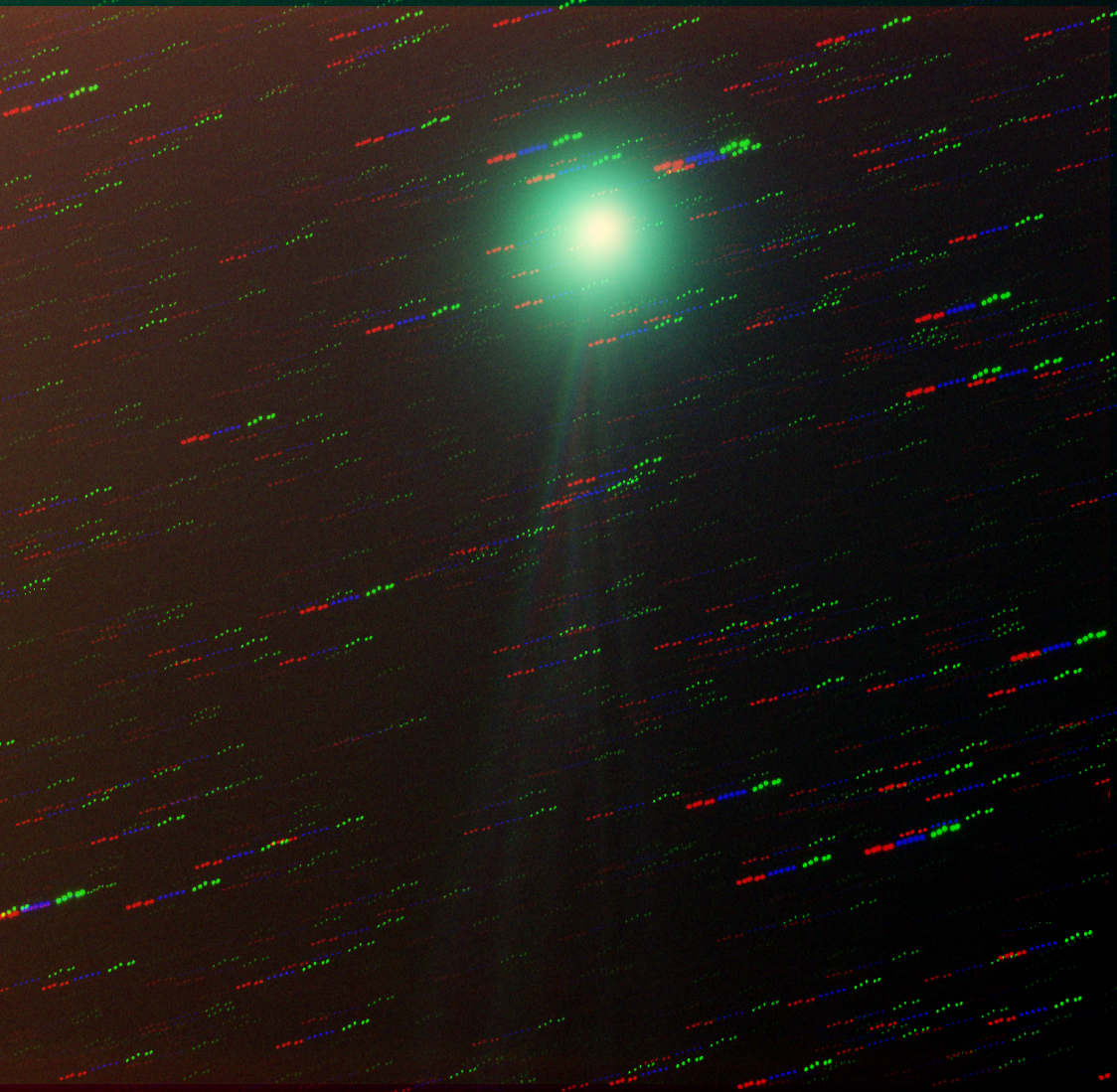
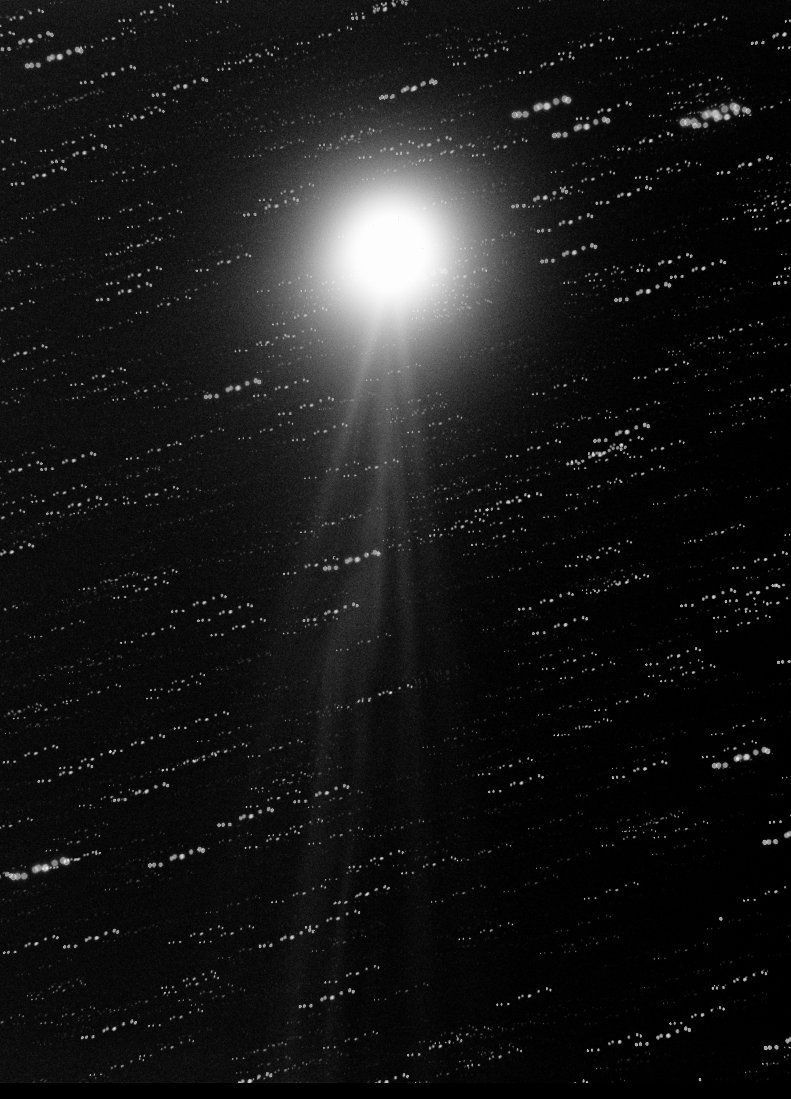
Comet Lovejoy Images – C/2014 Q2

These are my processed Comet Lovejoy images. I don’t think they are that great, I found them really tricky to process. The 1st time I have had the joy (no pun intended) of imaging a comet that moves so fast.

I gave up trying to process the RGB frames, as I tried imaging the comet unguided for 4 minutes, which seemed to work OK, no star trails and a sharp comet. But then I also tried guiding on a background star and guiding on the comet itself.

The problem I found with guiding on a star is that as the red, green and blue are taken in a row that the comet has moved so you cannot align the sky background and get the comet aligned at the same time, the same is true if you guide on the comet, then you get multi-coloured star trails of RGB.

I think in future I will try my DSLR on the 80mm scope for imaging comets at a high ISO, then at least you are capturing colour data in every shot.

These were taken using an Atik 460EX Mono Camera, with an Altair Astro 80mm triplet telescope on an EQ8 Mount. 4 minute frames, about 15 stacked.

Comet Lovejoy in RGB

Comet Lovejoy in Mono

Comet Lovejoy Image

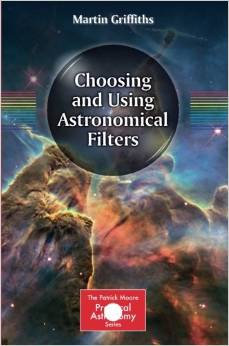
Choosing and Using Astronomical Filters Book Review

Choosing and using astronomical filters book

Choosing and using astronomical filters bookEvery astronomer uses filters, whether you are an imager or an observer. At last there is now a book that covers all the different types of filters that you can use at night or during the day.

The book covers light pollution filters, planetary filters, solar filters, ND filters for lunar observing and the range of filters for Deep sky imaging.

The book starts by looking at all the different Wratten coloured visual filters and it talks about the different types of telescopes.
Chapter 3 covers lunar observing with Neutral Density filters, yellow, blue and polarizing filters. At the end of this chapter are some really nice lunar maps taken during the lunar calendar. Unfortunately they have been crammed into 2 pages and you can’t read the maps – shame. These maps should have been given their own pages.

Chapter 4 is all about using filters when observing and imaging planets. Each planet is discussed in detail as well as the different filters that work best with that planet. There are black and white images throughout the chapter.

Chapter 5 is all about solar filters, Herschel wedges, Mylar etc. Solar Continuum filters, Calcium K, Hydrogen Alpha and Neutral Density filters are discussed in detail. This chapter includes lots of colourful solar images.

Chapter 6 covers filters for astrophotography, including narrowband – Hydrogen Alpha, Hydrogen Beta, OIII and SII filters as well as broadband – luminance, red, green and blue filters. There are also details about UV/IR filters and sky glow filters.

Finally there is a small section on how to process your images. A good part of the end of the book lists what images you can view or image and which filters work best on those objects. Each object also has an image which is nice and a description. This section is well laid out and each object is given its own page.

Overall this is a very nice book, and the first one that concentrates solely on filters. The most useful part of this book for me is the list of objects and what filters work best on that object. IC, Messier and NGC objects are included in this sizeable list.


Concise Catalog of Deep-Sky Objects is available at Amazon