Celestron 114LCM Computerised Telescope Review

The Celestron 114LCM Computerised Telescope is a 114mm or 4.5 inch telescope with a focal length of  1m or 100cm. It is a Newtonian reflector type telescope.
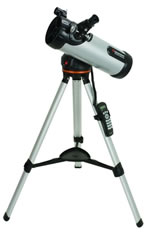
Celestron 114 LCM Telescope The Celestron 114LCM telescope automatically locates the wonders of the universe with its motorized system & on board computer! The Celestron 114 has fully coated glass optics which reveal the depths of our solar system and the wonders of the Universe.

Buy the Celestron 114LCM here from The Science Museum Shop

Adjust the angle of the telescope with the fully adjustable tripod and convenient accessory tray. It’s easy to use computerized hand control allows user to locate objects at the touch of a button.

The High quality 114mm Newtonian reflector gives you a clear view and with the built on StarPointer finderscope to help with alignment and accurately locating objects so you won’t miss a thing.

This is a great telescope for the beginner but with advanced features such as computerised alignment and go-to functionality. The telescope once aligned on a few stars can show you thousands of objects once you select them via the handset.

The Celestron 114LCM telescope will show you a lot of the major items in the sky, including excellent moon and planet views as well as deep sky objects, star clusters, galaxies and a lot more.

Buy the Celestron 114LCM here from The Science Museum Shop

114LCM Product Features:

  • High quality 114 mm (4.5″) reflector
  • Quick-release computerized base, optical tube and accessory tray for quick no tool set up
  • Database allows telescope to locate over 4,000 celestial objects
  • Lightweight Computerized Mount
  • Includes CD-ROM “The Sky” Astronomy Software which provides education about the sky and printable sky maps
  • SkyAlign allows you to align on any three bright celestial objects, making for a fast and easy alignment process
  • Flash upgradeable hand control software and motor control units for downloading product updates over the Internet
  • Internal battery compartment to prevent cord wrap during use
  • Compatible with optional NexRemote telescope control software, for advanced control of your telescope via computer
Buy the Celestron 114LCM here from The Science Museum Shop

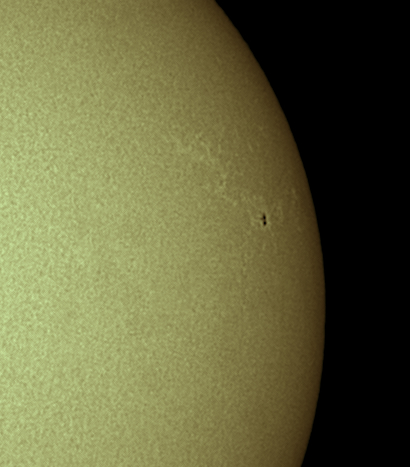
Sunspots on 10th October 2010

I managed to get out on the day of Sunday 10th October to try out a 2″ red type filter I received which looks homemade. It was supposed to be an H-Alpha Solar filter, but it did nothing visually.  So I thought I would try it whilst imaging with my Imaging Source DMK21 camera and see if, with a low enough exposure I could see some prominences, but alas no.

Getting out in the daytime also enabled me to try out my 2.5x Televue Powermate which I have just purchased. I added it onto my Skywatcher ED80 Pro, together with the Televue Powermate, Baader Solar Continuum filter and a simple homemade Baader Solar Film filter and my DMK21 camera I managed to get this image.

Solar Sunspot 10th October 2010

This has been recorded using the ICapture software provided by The Imaging Source and then processed in Registax 5 and then tweaked in Photoshop.

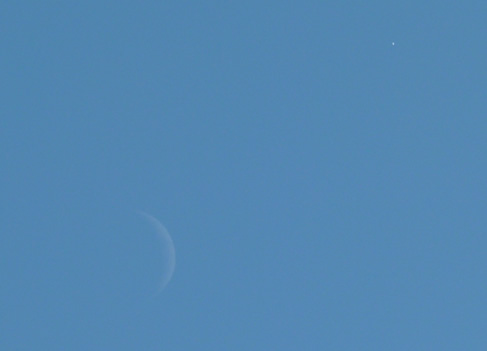
Daytime Moon and Venus

Whilst away on holiday in Menorca for the week, was the chance to see and image the daytime showing of the Moon and Venus close together.

I would not have known about this had it been for me reading Sky at Night magazine in the plane a few days earlier.

I did not take my DSLR with me, so took this photography with my Lumix TZ7 camera instead. It was taken on the 11th September 2010 at 16:30 GMT (Menorca time 17:30).

Moon and Venus in Menorca 11th Sept 2010

I don’t know how many people in the UK saw this, as it may have been cloudy here at the time.

Observing The Moon Book Review

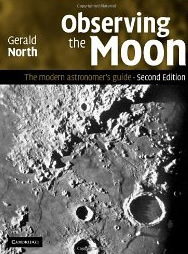
Observing The Moon BookObserving the Moon is a hardback book from Cambridge University Press by Gerald North. This is the second edition of the book. When I started reading the book I was thinking that it was going to be a boring book just about the moon, but how wrong I actually was. It does contain a lot more information, including information on how to image the moon, via a webcam and video camera.
The book begins by describing the moon, its phases, eclipses, gravity and tides as well as occultations. The book then discusses what sort of telescope you need to best view the moon, as well as buying advice and eyepiece types and what you may need if you want to do some moon drawings.

Observing the Moon then goes through what you need to image the moon, this is a great section, if a little dated in areas. The book mentions CCD cameras, DSLR cameras, video cameras and image processing – including stacking your moon images using Registax.

Observing the Moon also covers each area of the moon with descriptions, photographs and some drawings. I must admit when reading the book it was the first time I had ever seen a really good image of the far side of the moon, it had me mesmerised.

The appendices cover telescope collimation, field testing a telescope’s optics and how to polar align. The books images and drawings are all in black and white, but when discussing the moon this does not really matter.

Overall a great read, and please don’t think this book is just about the moon, as there is so much more in it, such as telescope buying advice and how to image the moon.

Observing the Moon is available at Waterstones

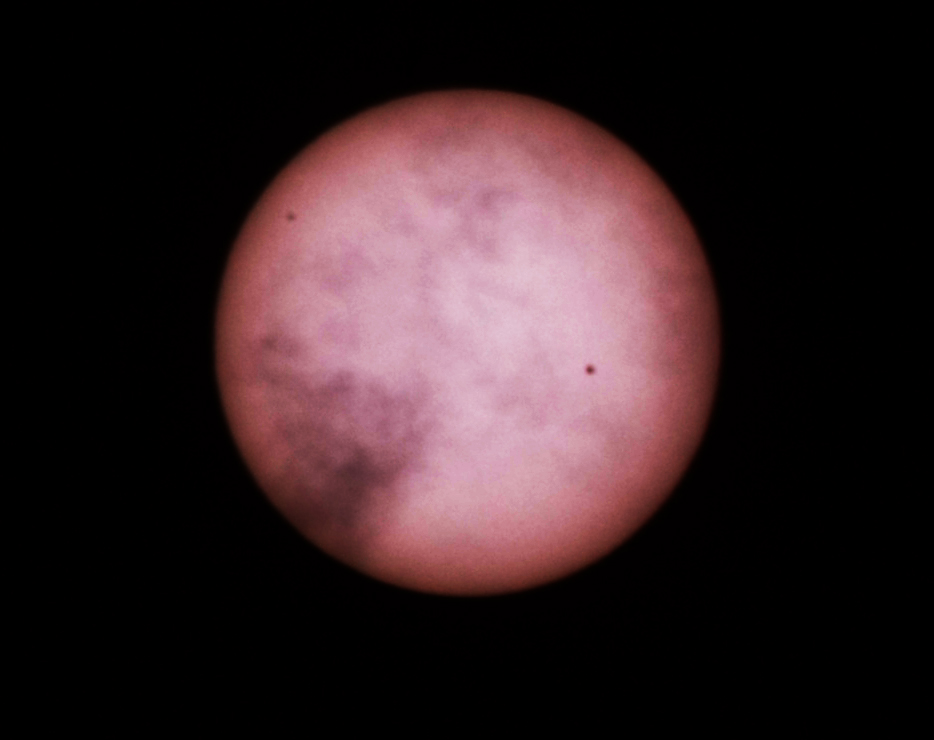
Latest Sunspots 1092 and 1093

After several days of cloud and rain, the clouds parted and I managed to get a shot of the current sun with its sunspots.

These are recorded as sunspots 1092 and 1093 from left to right.

This is not a great image, as it’s a bit blurred. Taken with my homemade DSLR solar filter on my camera using my 300mm lens.

Solar Sunspots 5th August 2010

Stargazing Basics Book Review

Stargazing Basics BookStargazing Basics is a book for the beginner, it mainly covers what to look for when purchasing basic astronomy equipment including binoculars or your first telescope.
Stargazing Basics is divided into two main sections, the first describes the different types of telescopes you can buy and what to look for when purchasing binoculars. Every type of telescope is described, with a focus on those coming under a certain price bracket, in reality all those telescopes that you may choose when first making a purchase. But the first section is not just about telescopes, the book also briefly covers astronomy accessories which you may purchase at a later date.

Part two of the book entitled “What’s up There?” gives you an overview of the types of objects you may well see when using a beginner’s telescope. This is done using images and giving descriptions about the Moon, Sun, Planets, Nebulae, Galaxies, Stars etc.

There is a very large glossary at the rear of the book which takes up around 25 pages; this is a lot when the whole book is only 140 pages in total. But it can be very useful to have a glossary when you are starting out on as new topic and a lot of unknown words are used in the body of the book.

After the glossary there are some simple start charts you can use, as well as a list of the constellation names with descriptions.

Overall this is a very nice book for the beginner who wants to get into astronomy, it will certainly provide you with a lot of knowledge before you visit your local astronomy store and make a purchase of either binoculars or a telescope. Reading this book certainly would have helped me at the time.

It’s also nice to see that the author has not included images which represent objects what you won’t see through your first telescope. He has instead used his own images which mean you won’t be disheartened when you use your telescope for the first time and you don’t see in the eyepiece astronomy images like those produced by the big NASA telescopes.

Stargazing Basics is available at Waterstones

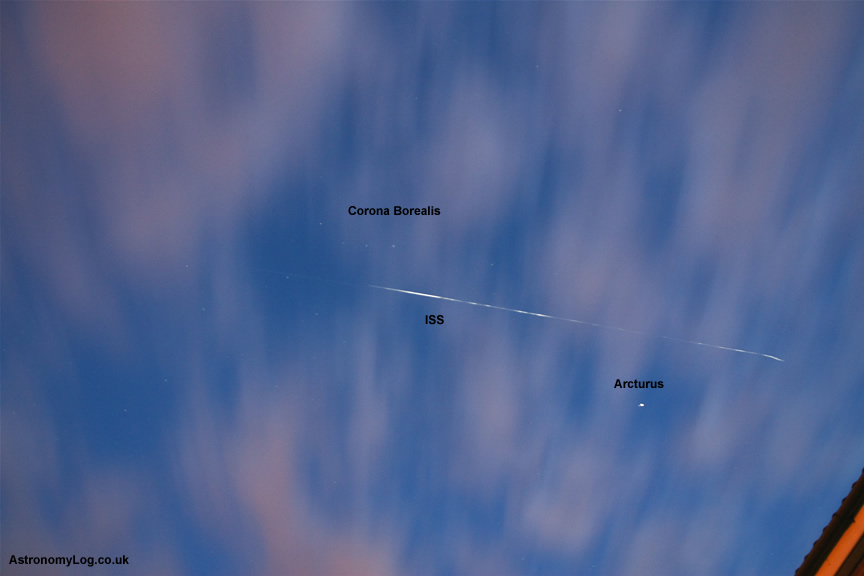
ISS and Russian Supply Module

Managed to get out and see the Russian supply module and the International Space Station travelling across the sky.

I was amazed to see them both travelling in perfect alignment across the sky, but the supply module was well in front of the ISS, by a long way.

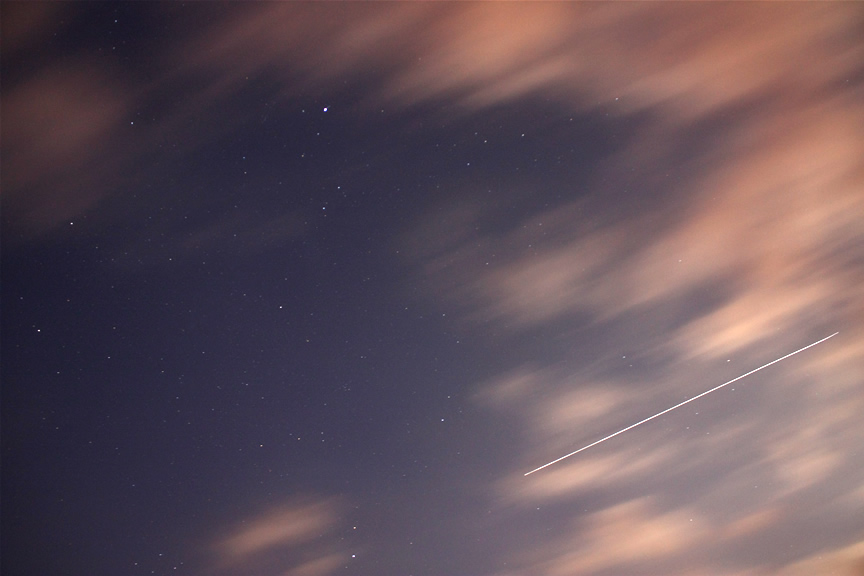
This photo shows one line of the ISS and Russian supply module as both were travelling in the same line.

ISS and Russian Supply Module

Astronomik OIII CCD Filter Review

I have now moved over to collecting Astronomik filters, I did have a selection of both Baader and Astronomik filters. I have now settled on Astronomik filters for my narrowband filter set.  It’s important to always stick with the same brand of filters, as they should then all be parfocal.

But don’t get me wrong I still like Baader filters as I still have a fringe killer, uv/ir  and solar continuum filters from them.

The thing I like best about the Astronomik filters is how slim they are, and I never have any trouble screwing them into filter wheels, they also don’t catch on filter wheels like the height of the Baader filters.

Due to the cost of 2″ versions of filters I have gone with the 1.25″ range of filters, plus the filters wheels in the 1.25″ versions are also cheaper, this one was from StayFocused.eu

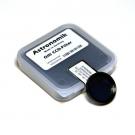
OIII CCD Filter The OIII CCD filter comes in the standard Astronomik no-frills box with a black foam backing. I was getting confused by the labels Astronomik put on their boxes, but now I think the white and black labels are the newer versions of the filters.

As the name suggests the OIII CCD filter comes with  a built-in IR-blocker up to 1150nm, so you don’t need an additional IR-blocker with this filter.

The Astronomik OIII CCD filter is a narrow band emission-line-filter for CCD photography. The filter lets the light of double ionized Oxygen of emission nebulae pass and blocks nearly the whole remainder of the spectrum where the CCD is sensitive.

The Astronomik OIII CCD increases the contrast between objects, in this case between the OIII emission line and the skyglow background. Our Astronomik OIII CCD completely suppresses the emission lines of artificial lighting (mercury (Hg) and sodium (Na)) and skyglow.

The full width at half maximum (FWHM) of 12 nm is optimal suitable for common CCD cameras and allows the use of very fast optics The optimal aperture ratio for the use of the filter is 1:3 to 1:15 with apertures of more than 6″ (150mm).

When using the Astronomik OIII CCD filter together with the H-alpha, OIII CCD and the SII CCD filters you can obtain three-color images of emission line objects (gas nebulae) from locations with very strong light pollution. To do so, you would take an image in three different wavelengths, select each one as a color-channel in Photoshop and paste them together as one single color image.

  • 95% transmission at 496nm (OIII)
  • 95% transmission at 501nm (OIII)
  • Full width at half maximum 12nm
  • Transmission from 494nm to 506nm
  • Parfocal with other Astronomik filters
  • Glass thickness: 1mm
  • Completely resistant against high humidity, scratches and aging effects
  • Diffraction limited, the filter will not reduce the optical performance of your telescope!
  • Astronomik filters are delivered in a high-quality, long lasting, filter box

Astronomik OIII filters and other Astronomik filters can be purchased from StayFocused.eu

ISS Photograph with DSLR

Two nights ago I had a go at videoing the ISS with my telescopes by manually moving them myself to get the ISS on the CCD chip, only trouble a couple of nights ago was that the ISS was not very bright and it was not visible for very long.

So last night I decided to instead just capture the ISS light trail with my camera on a tripod.

I began by visiting Heavens Above and finding out when the International Space Station would be passing my location. You should always look to see how long the ISS is visible for (the longer the better) and how bright it will be (brighter the better).

I set my camera up on my tripod and set it the the manual setting and set the exposure to be 30 seconds with a 2 sec timer delay, so I did not record me shaking the camera by pressing the shutter button. I also opened my widest lens to 18mm.

The great thing about the ISS is that if you can look out for it on the horizon and see it coming, you can then get yourself ready, especially if the ISS is in sight for a number of minutes.

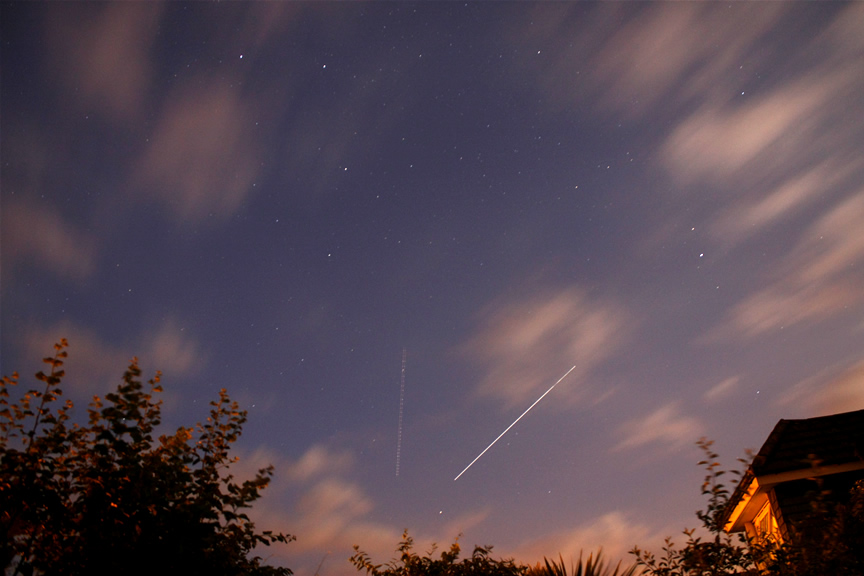
From my images below you see that 30 seconds is not really long enough in order to catch the trail across the whole width of the field of view. Next time I shall go to the bulb setting and choose my own exposure length, perhaps it will end up being about 1 to 1.5 minutes.

International Space Station Trail

The interesting thing about the second photograph is that a jet also came overhead and you see that light trail as well. It was fairly cloudy at the same time but the ISS actually flew lower than the cloud layer so was still visible throughout the shot.

ISS Light Trail Image

How To Make a Digital Camera Solar Filter

After buying my A4 sheet of Baader solar filter paper I have been making all sorts of filters.

The last of which has been a solar filter for my Canon 450D digital SLR camera, but my method of construction will work for any SLR camera, as its really simple.

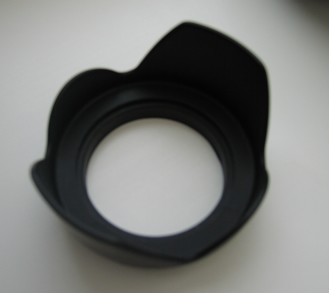
I started with a flower shaped lens hood. I bought the lens hood a while back cheaply from someone in China on eBay, I think it only cost a few pounds.

DSLR Flower Shaped Lens Hood

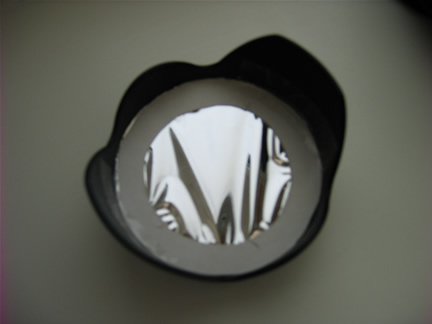
I then cut out two circular pieces of cardboard to put either side of the circular solar filter paper. I cut them to fit just inside the lens hood. I then cut out the circular solar paper.

Cutting the solar paper can be a pain, it is best to cut the filter paper between two other sheets of paper and then remember that there is a really thin piece of transparent film on the solar paper which needs to be removed once the shape has been cut out.

I previously used scissors to cut out the solar paper, but for this attempt I used a very sharp scalpel.

I then placed squares of double sided sellotape around the cardboard circles, in order to hold the cardboard onto the solar paper, be careful not to get fingerprints on the solar paper.

Then place the filter into the lens hood and I just used standard sellotape to tape the cardboard part of the filter to the plastic sides of the lens hood.

Homemade SLR Digital Camera Solar Filter

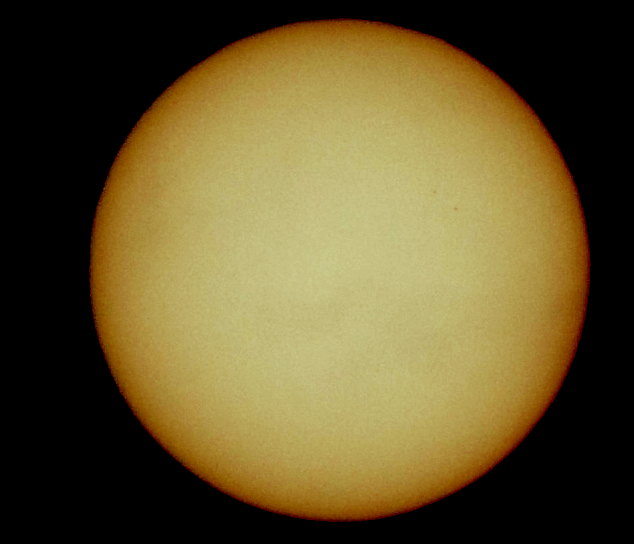
I then screwed on my new solar filter and took an image, usually I would take video of the sun with a CCD camera and then stack the results to get a final image. This time I took the sun image below with my DSLR at a setting of 1/4000th second at ISO100 with my 300mm lens.

I then played about a little with the brightness and contrast and colour levels with a photo editor program.

Sun with homemade solar filter on a DSLR camera

You can just make out two sunspots (1080) on the top right handside.